RadPulse
Live turnaround and workload, refreshed every five minutes.
RadPulse tracks volume, turnaround and radiologist workload in real time, refreshed every five minutes, so medical directors and practice leaders can catch STAT delays and growing backlogs as they happen.
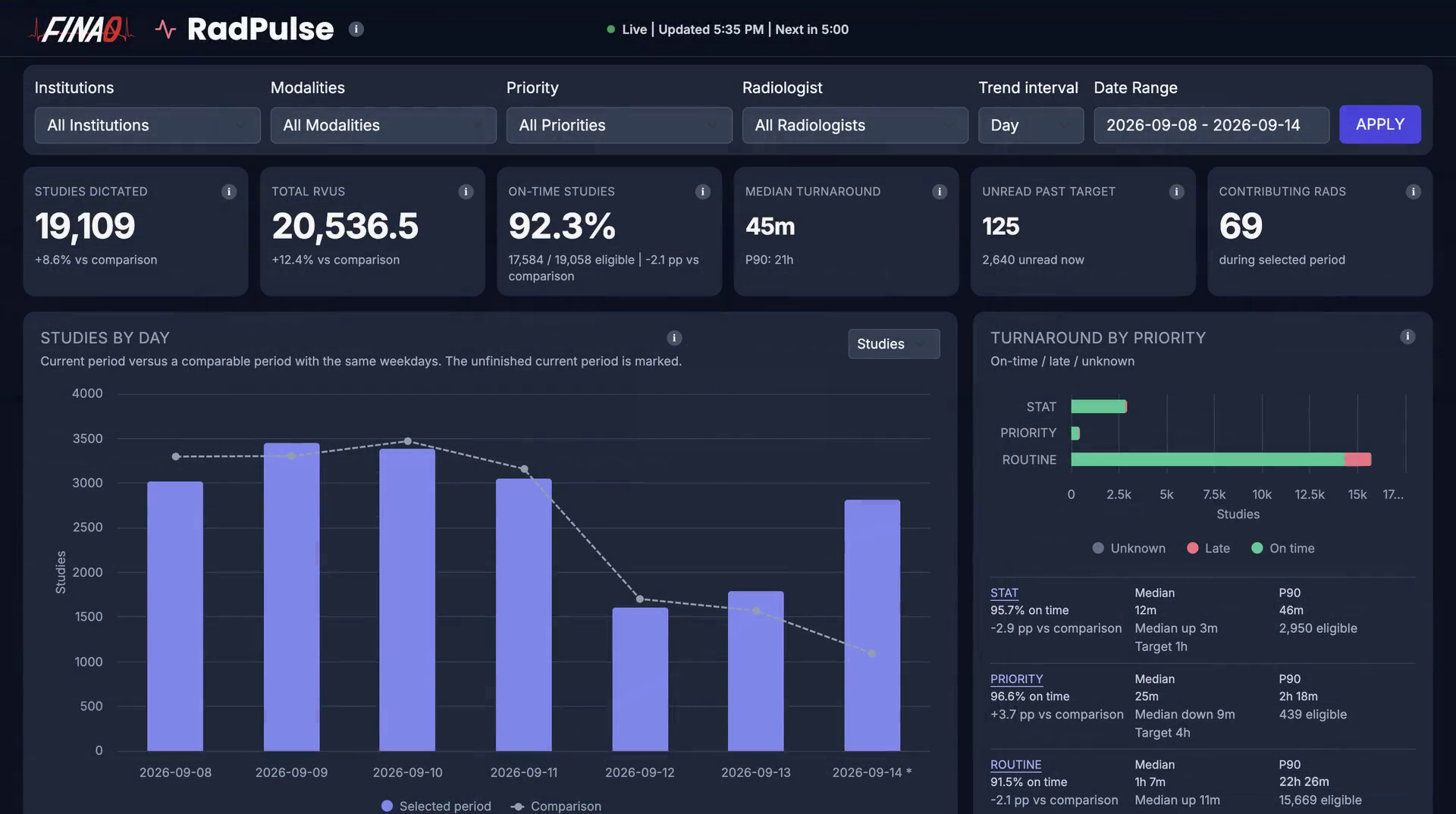
A STAT delay or growing backlog is usually discovered after the fact, often through an angry phone call.
Turnaround and workload refresh every five minutes, so slipping STATs and growing queues show up right away.
What RadPulse does
- 01
Five-minute refresh
Volume, turnaround and workload figures update every five minutes throughout the day.
- 02
STAT delay visibility
High-priority studies that are drifting past target stand out so they can be picked up.
- 03
Current unread worklist
See queues building by site or modality before they turn into a missed-TAT problem.
- 04
Approaching-target STAT studies
Unread STAT studies closing in on target time are flagged early, so they get picked up before they breach.
How RadPulse fits into your day
- 1
Monitor
RadPulse watches incoming and in-progress work across your reading environment.
- 2
Spot
STAT delays and backlog growth stand out every five minutes.
- 3
Respond
Redirect work, call in help or escalate while the problem is still small.
Ask it something specific.
RadPulse is built to answer the questions leadership asks most often, right away.
- QAre any STATs running late right now?
- QWhere is the backlog growing fastest this afternoon?
- QWhich radiologists have room to take more work?
Part of finao.cloud
Part of these solutionsRadPulse for radiology practices RadPulse for hospitals & outpatient
RadTAT
Tech-to-read turnaround compliance, live, without the manual report.
Explore RadTAT Production & TurnaroundRadView
Real-time production analytics for radiology groups.
Explore RadView Reading Room OperationsRadSurge
One-click overtime for radiologists. The system handles the rest.
Explore RadSurgeSee RadPulse with your data.
We’ll walk through RadPulse using your sites, modalities and radiologists, and show how it fits with the rest of your FINAO workflow.